Revive turns the data from your wearable, or just your phone, into plain answers: how you slept, how recovered you are and what today can take. Each one is measured against your own normal, with the reasons shown. Here is all of it, grouped by what you want to know.
How did I sleep?
Your night is drawn as a dive. Awake is the surface, and the line sinks through REM and light sleep to deep, then comes back up. Drag across it in the app to read any moment.
Stages from your strap Time in deep, light and REM, with when you woke and how long you were in bed against how long you slept.
Sleep score against your usual Not a stranger's average. Sleep debt shows what you owe, and tonight's bedtime is worked out from it.
Regularity How steady your bedtimes and wake times are across the week, which matters as much as the hours.
Day, week, month and six months Look back as far as you like.
A sample night. Scroll and the line dives.
Regularity, one week
Bars that line up are a regular week. The app scores the pattern and shows it next to your sleep.
Am I recovered, and what can today take?
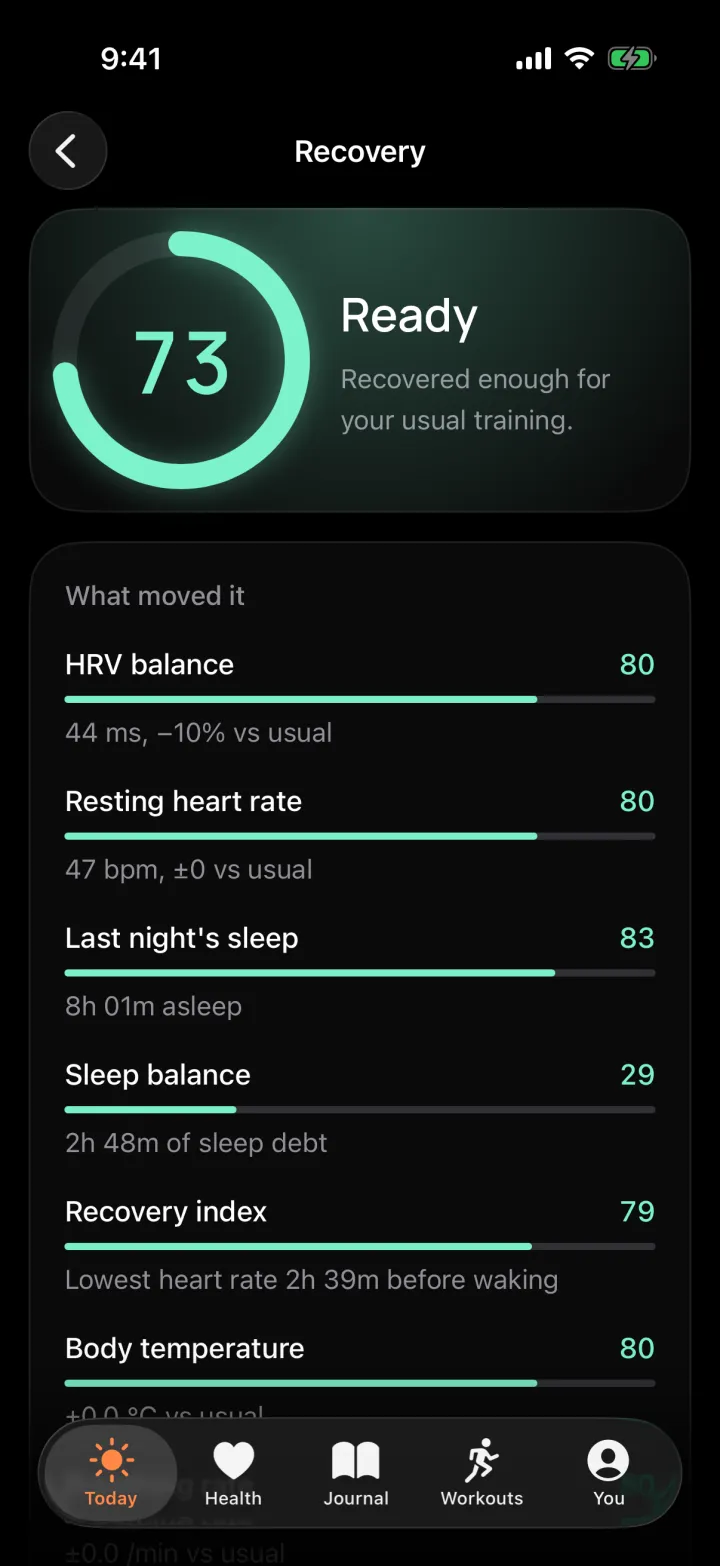
One score for how ready your body is, from last night's sleep and your heart, with the reasons behind it listed in plain words. Then two more answers for the rest of the day.
Recovery Built from HRV, resting heart rate, sleep and sleep debt, breathing and blood oxygen, each against your own recent nights. A new baseline needs a couple of weeks and the app says how far along it is.
Readiness for the day What your day can take, and a heads-up when your body shows signs of strain.
Exertion How hard you have pushed today against your usual day. It is called Load on Android.
Tap any score for its history and what moved it, and use the day strip to look back.
Sample score
Is my HRV normal, for me?
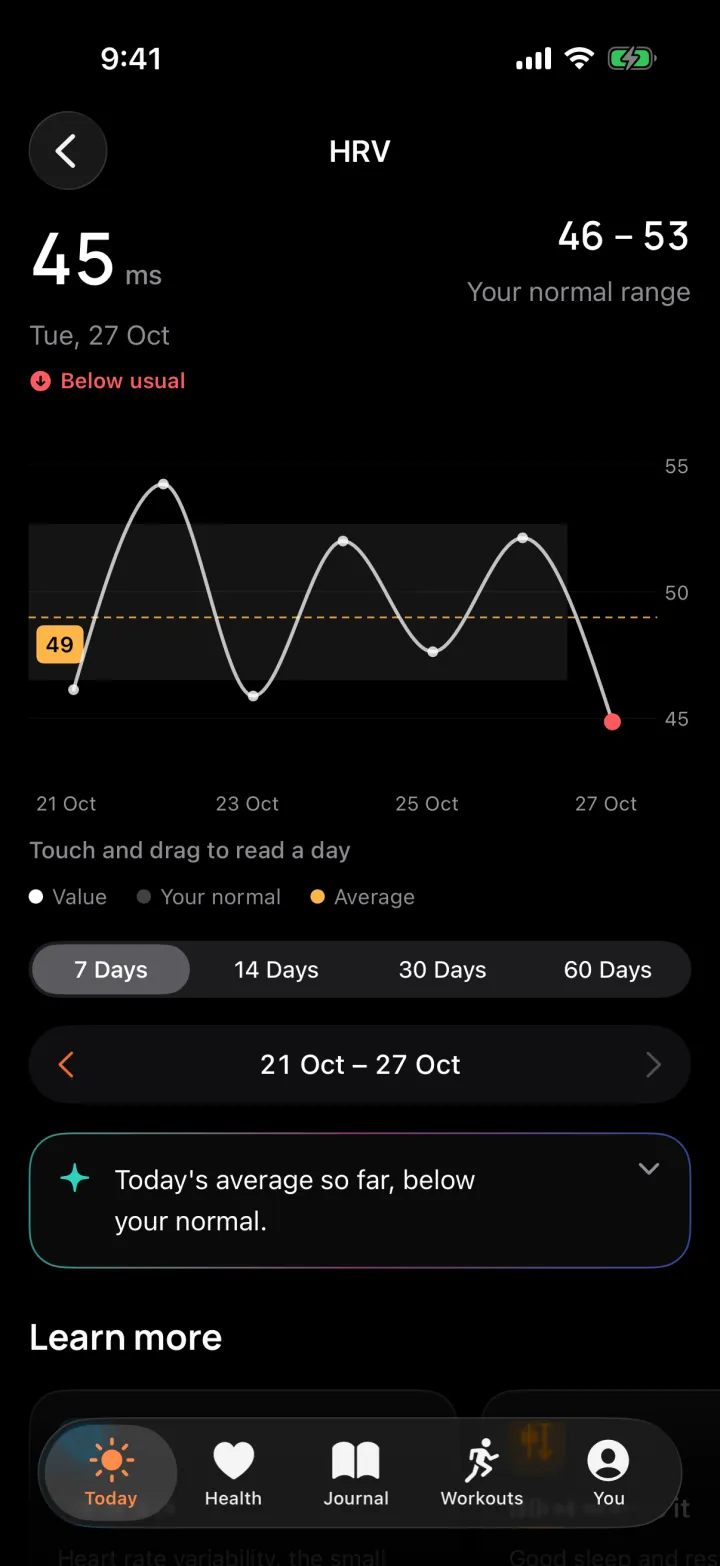
HRV is how much the time between heartbeats varies. There is no good number for everyone, so Revive compares yours with your own normal. The shaded band comes from your recent nights.
Above the band You are well recovered.
Inside it That is normal for you.
Below it You may be run down or stressed. Look at the trend over days, not one night.
Sample nights. The band is your own range.
How do my habits age me?
Healthspan is an estimate of how old your habits look, built only from data Revive already has. It is shown as a range in whole years, never as a single sure number, and it is not a medical measurement.
What moves it Resting heart rate, daily steps, sleep regularity, sleep duration, strength training and VO2max. One row for each, in years added or taken off against a typical person your age, so you can see what to change.
Honest about its limits The range is the estimate plus or minus two years, a display convention and not a confidence interval. A term with too little data is left out rather than guessed, and the estimate is withheld when there is too little to go on.
Weekly, not daily It is a slow number, so it updates once a week, with a pace of ageing beside it.
An example. Your own figures appear in the app.
Can I train, and how did that go?
Tap Start workout, pick a sport and go. With a wearable connected, heart rate, zone and time are live, and outdoors GPS adds distance and your route.
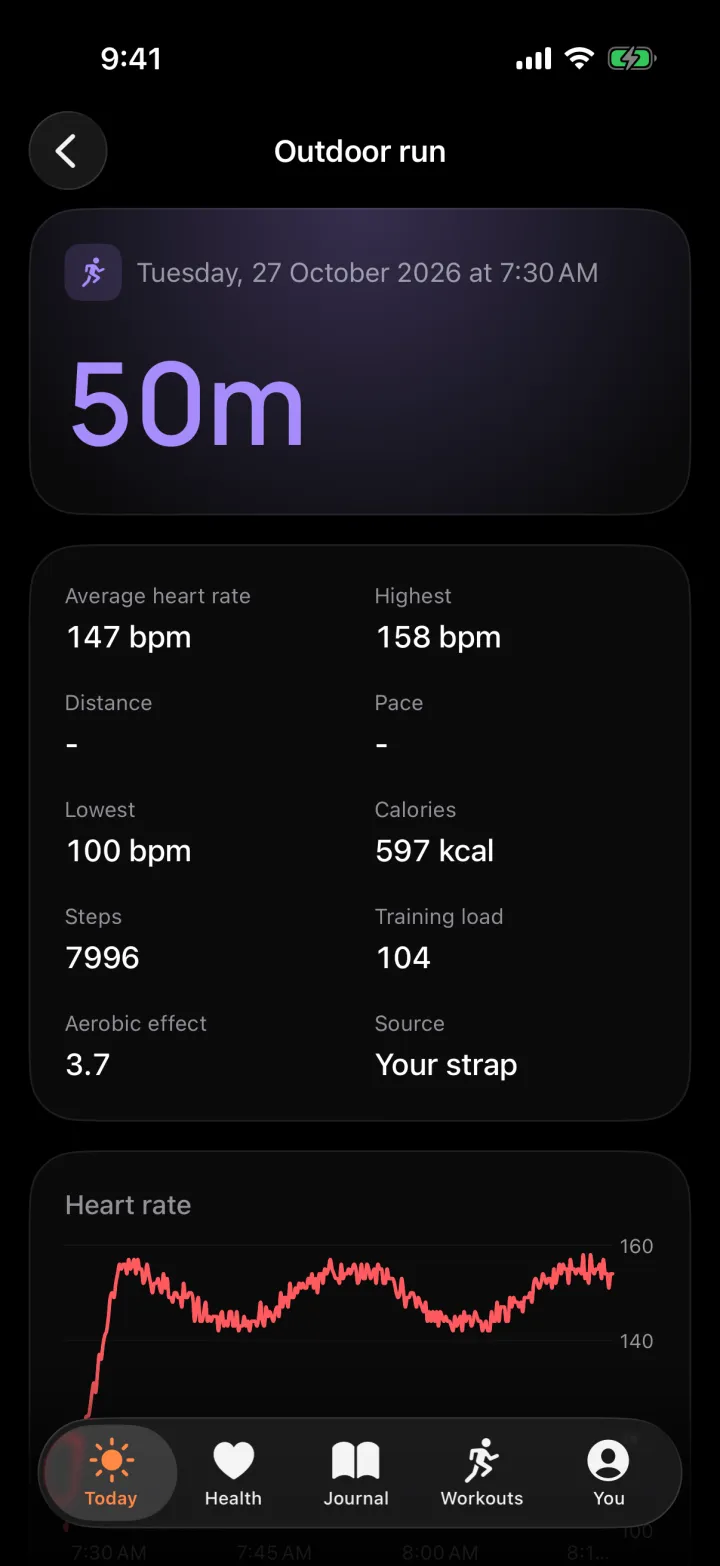
Heart-rate zones Five zones, from easy to maximal, with the time you spent in each, and your heart rate recovery after you stop.
Effort and training load How hard it was against your usual week, so tomorrow's readiness makes sense.
Music bar, for Spotify What is playing, previous, play or pause and next, without leaving the workout. You connect your own Spotify account, and control needs Spotify Premium. Revive sends Spotify no health or workout data.
Lock screen on iPhone A Live Activity shows your timer and a pause button while you record.
A share picture Made from your route and your own photo.
Time in each zone
1
2
3
4
5
A sample run.
Where does my data come from?
Revive reads from Apple Health on iPhone and Health Connect on Android, and, if you choose, writes its own results back there. Every card says where its numbers came from.
Read Sleep, heart rate and steps your watch or phone already recorded, plus your saved ECG recordings on iPhone. Only the types on the permission screen.
Write back, if you choose Revive's data goes to Apple Health or Health Connect, so your other apps see it too. It is off until you turn it on.
Sources named A card reads, for example, "Sleep from Health" when your strap had no data that night.
No mixing Two sources are never averaged. Apple's HRV is a different measure from the strap's, so it is shown but kept out of your baseline.
Sleepfrom Helio Strap
Heart ratefrom Helio Strap
Stepsfrom Apple Health
HRVfrom Apple Health, shown only
Every number carries its source. Example.
Which device should I use?
Revive is neutral about what you wear. Use a Helio strap, a watch whose data arrives through your phone's health app, or just your phone.
Helio Strap Direct over Bluetooth, with full history, live heart rate, battery and sync status.
Apple Watch and others Through Apple Health on iPhone, or Health Connect on Android, which is how a Galaxy, Pixel, Wear OS or other watch or ring arrives.
Phone only Steps, workouts and your journal work without a wearable.
Switch any time Make a different device primary and your history stays. Old days keep showing the source that has them, and the screen warns you that a new baseline takes a few nights to learn.
Helio StrapBluetooth
Health appApple Health or Health Connect
Phone onlySteps and workouts
Primary
One primary at a time, and you choose it.
What about everyday life?
Journal
Tap the tags for what happened today, such as a late meal, a nap or travel. After you have tagged one on three days, Insights show how it moved your HRV and recovery the next morning.
Nap
Travel
Supplements
Feeling unwell
Sick days
Tag a day "Feeling unwell" and Revive reads it as a rest day. That night stays out of every baseline, so being ill does not drag down your normal.
Home screen widgets, on Android
Five widgets in three sizes: Moment, which follows your day, Recovery, Steps, Sleep and Start a workout. A small button shows when the strap is not paired, low on battery or out of date, and a tap on an old sync syncs right there.
Live Activity, on iPhone
While you record a workout, the lock screen shows your timer and a pause button.
Private by design.
Your health data stays on your phone. We run no server that receives it, because we never get it.
Accounts
None
Ads and trackers
None
Health data sent to us
None
Export or delete
Any time
AI is off. An optional AI explainer is built but switched off, and it is not available yet. Nothing is sent anywhere because of it.
The Amazfit Helio Strap, Apple Watch through Apple Health, Galaxy, Pixel and Wear OS watches through Health Connect, and Spotify for workout music.
Revive is independent software, not a medical device. It is not affiliated with, endorsed by or sponsored by Zepp Health, Amazfit, Apple, Google, Samsung or Spotify. All names belong to their owners.
Free for now, for iPhone and Android.
Revive is coming to the App Store and Google Play. Ask for an invite and we will tell you when it is ready.
 Revive